Camera system
Purpose
Rephrased uses a fixed high-angle perspective. The camera does not roam freely. As the player walks through the world, camera zones change the framing by blending between authored viewpoints. Scripted moments temporarily take control through a cinematic override stack, then return control to the active zone.
The implementation lives in two classes:
URuneCameraSubsystem, a tickable world subsystem that owns zone layers, the blended camera pose, and cinematic overrides.ACameraZoneActor, an actor placed in a level that defines one zone, its transition band, and its camera.
The subsystem is single-player and local only. There is no replication and no multiplayer authority handling.
Classes and ownership
URuneCameraSubsystem
URuneCameraSubsystem is a UTickableWorldSubsystem. Each tick it turns every zone the player is in into one camera pose.
The subsystem stores:
ZoneLayers, oneFRuneCameraZoneLayerper zone the player is in or is still fading out of, sorted lowest priority first. Each layer holds its zone, a 0 to 1Progress, and whether the player is still inside.CinematicStack, the stack of cinematic override targets.InterpCamera, a hiddenACameraActorthat is the view target whenever zones drive the camera.- The redirect state used by the Mind Palace overlay; see View redirect.
The subsystem does not own the placed zone actors. Zones register through overlap callbacks on their TransitionBounds, and the subsystem holds them in UPROPERTY fields so the garbage collector keeps them alive.
ACameraZoneActor
ACameraZoneActor contains the zone volumes and its camera:
ZoneBoundsis the core volume. Anywhere inside it, the camera is fully on this zone.TransitionBoundsis the overlap trigger:ZoneBoundsgrown outward byTransitionBandWidthon X and Y. It resizes itself whenever the zone is edited.ZoneCamerais theUCameraComponentthat holds the zone's viewpoint.
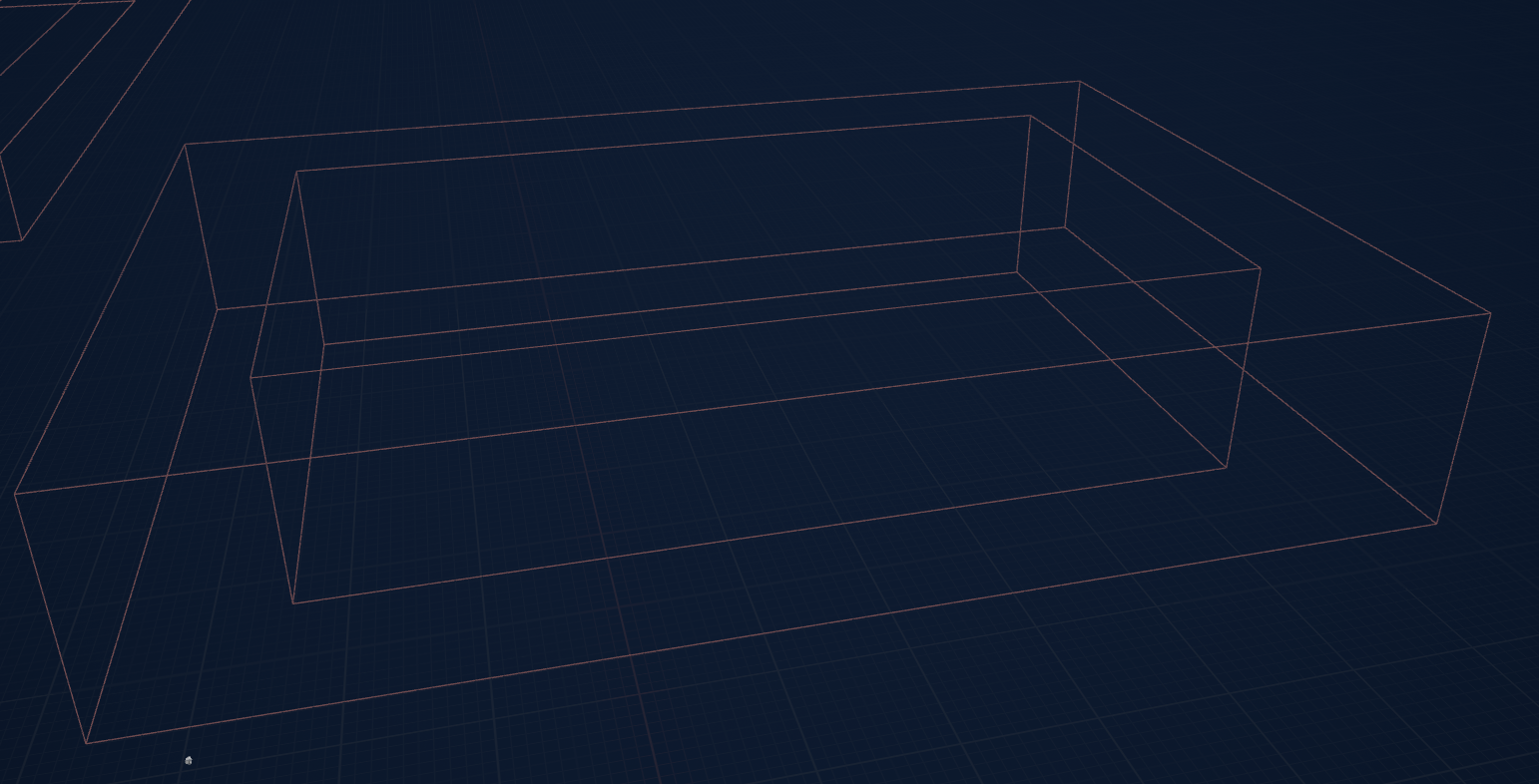
The actor also stores the blend, priority, and tracking properties described below.
Interpolation camera
The subsystem keeps one persistent ACameraActor named InterpCamera. While any zone layer exists, it is the view target, and each tick the subsystem writes the blended location, rotation, FOV, and aspect ratio into it.
The player controller is handed to InterpCamera with zero blend time when the first layer joins, and handed back to the pawn with zero blend time when the last layer fades out. Both handoffs are invisible, because a layer joins and leaves at weight 0: at those moments the blended pose is the follow camera's own.
Zone fields
The authoritative zone fields are in Source/Rephrased/CameraZoneActor.h.
| Field | Default | Purpose |
|---|---|---|
Priority |
0 |
Higher priority zones claim the camera first. Equal priorities blend by how deep the player is in each. |
bUseTimeBasedBlend |
false |
When true, the zone blends over time instead of by the player's position. |
TransitionBandWidth |
250.0f |
Width of the band outside ZoneBounds where a position-based zone fades in. 0 makes the change instant at the edge. |
AlphaSmoothingSpeed |
12.0f |
FInterpTo speed that smooths a position-based zone's weight. |
EntryBlendTime |
0.5f |
Time-based zones: seconds to fade in. |
ExitBlendTime |
0.5f |
Time-based zones: seconds to fade out. |
BlendFunc |
VTBlend_EaseInOut |
Blend function stored on the zone for view-target blends. |
bTrackPlayer |
false |
Enables player tracking for this zone. |
TrackingInterpSpeed |
3.0f |
Interpolation speed for player tracking. |
bClampTracking |
true |
Clamp the tracking offset to TrackingClampExtent. |
TrackingClampExtent |
FVector2D(100.0f, 100.0f) |
Half-extents of the tracking clamp region. |
LookAheadDistance |
0.0f |
How far the camera leads ahead of the player based on input direction. |
LookAheadSpeed |
3.0f |
How quickly the look-ahead offset responds to input changes. |
Blending
Layer weights
Every layer has a weight from 0 to 1.
- Position-based zones follow the player's position.
ACameraZoneActor::GetBlendAlphameasures how far the player is insideZoneBoundson the horizontal plane: 0 at the outer edge of the transition band, 1 at theZoneBoundssurface and everywhere inside, eased withSmoothStep. The layer'sProgressfollows that value throughFInterpToat the zone'sAlphaSmoothingSpeed. Walking back out fades the zone out along the same band, so the blend is fully reversible. - Time-based zones move
Progresstoward 1 while the player is inside and toward 0 after they leave, at a constant rate overEntryBlendTimeorExitBlendTime. The weight isProgresseased withSmoothStep.
When the player leaves a zone's trigger, its layer stays and fades to weight 0, then drops out. Walking back in before that turns the same layer around from its current weight.
Combining layers
Each tick, ApplyZonePose hands out a total share of 1:
- The highest priority group claims its share first, then the next group down, until the share runs out.
- Inside a priority group, zones split what they claim in proportion to their weights. A group whose weights add up past 1 claims everything left.
- The follow camera gets whatever no zone claimed.
The pose is the weighted mean of those cameras' locations, rotations, FOVs, and aspect ratios. Where two zones' transition bands overlap, their weights cover the whole share, so the camera crosses straight from one zone to the other with the follow camera out of the mix.
Aspect-ratio constraint blends too: a camera without a constraint contributes the viewport's aspect, so letterbox bars grow from zero width instead of appearing in one frame.
Priority and nesting
Priority expresses nesting. A map-wide base zone takes the lowest priority, such as 0. Smaller interior zones take higher priorities, so walking into one fades the camera from the base zone to the interior zone across its transition band.
Zones of equal priority that overlap share the camera by weight, which gives a smooth crossing wherever two neighbouring zones' bands meet.
GetActiveZone returns the highest priority zone the player is currently inside.
Player tracking and look-ahead
A zone can track the player when bTrackPlayer is true. While tracking is active, the zone's tick moves ZoneCamera toward a target derived from the player's position.
The tracking target starts from the zone's authored camera location, captured at BeginPlay. When bClampTracking is true, the player's horizontal offset from the zone is clamped within TrackingClampExtent. When bClampTracking is false, the camera follows the player at its authored offset without a clamp.
The subsystem turns tracking on when a layer joins and off when it fades out. ActivateTracking enables the zone tick and, by default, snaps the zone camera to its tracking target; ActivateTracking(false) keeps the camera where it is, for a zone that is already on screen. DeactivateTracking disables the tick and leaves the camera at its last tracked position.
LookAheadDistance adds a lead offset ahead of the player based on input direction. A value of 0 disables look-ahead. The look-ahead offset is applied after the tracking clamp, so a zone can peek past the clamp boundary.
LookAheadSpeed controls how quickly the look-ahead offset responds to input changes. Lower values give a lazier, more elastic feel.
Cinematic overrides
Cinematic control is a stack on URuneCameraSubsystem.
PushCinematicTarget(Target, BlendTime)pushes an actor ontoCinematicStackand blends the view to it.PopCinematicTarget(BlendTime)pops the top entry and blends to the next one, or back to the zones when the stack empties.ResumeGameplayCamera(BlendTime)clears the stack and blends back to the zones.
Cinematic transitions use view-target blending through the player camera manager. Zone layers keep updating underneath, so the pose a resume blends back into is where the camera would be now.
IsCinematicActive reports whether any cinematic override is on the stack.
Pedestal focus and the star view in the Mind Palace use this stack: each pushes its own camera and pops it when the player steps back.
Spawn-inside-zone handling
Zones learn about the player from overlap events on TransitionBounds. At BeginPlay a zone checks for a player already inside and checks again on the next tick, entering with an instant blend either time.
Two calls cover pawns that appear or move in ways overlap events can miss:
RefreshZonesForPawn(Pawn)re-tests every zone against the pawn and registers the ones that contain it, instantly. Call it after possessing a pawn that appeared with its level.SnapZonesToPawn(Pawn)does the same, drops zones the pawn has left, and puts every layer and tracking camera straight onto its settled pose. The star view uses it after a teleport, so the camera it blends back to is where walking there would have left it.
View redirect
The Mind Palace renders a second level through a scene capture while the main view stays on the frozen world. BeginViewRedirect points this subsystem at that level:
- The main level's zone layers and cinematic stack are set aside, and their zones stop tracking so they hold their pose.
- The view the player is looking at is parked on a snapshot camera, so the shared
InterpCameracan be driven by the redirected level. - Every camera decision goes to
GetRedirectedViewTargetandGetRedirectedBlendTimeinstead of the player's view target. The Mind Palace subsystem reads them each tick and eases its capture between targets itself.
The redirected level builds its own zones and cinematics from scratch, exactly as it would when played on its own. EndViewRedirect restores the main level's layers and cinematic stack with the weights they left with, resumes their tracking without snapping, and puts the view back on whatever they call for.
At the end of every tick the subsystem calls UMindPalaceSubsystem::TickOverlayCamera, so the palace capture always reads the view that tick resolved.
Visual language
The fixed high-angle look is authored per zone. Each ACameraZoneActor holds its framing in its ZoneCamera component. The subsystem does not define a code-level global FOV, pitch, or camera height constant. The shared FOV, pitch, and height convention must therefore be applied by authoring every ZoneCamera with the same values.
During a zone blend, the subsystem blends FOV and aspect ratio along with location and rotation. A mismatched ZoneCamera FOV is visible as a subtle zoom while walking between zones. Review of camera work should check that each placed ZoneCamera matches the agreed FOV, pitch, and height.
Camera requests from puzzle actors
A puzzle performance plays a cinematic shot when its Play Cinematic is ticked. URunePuzzleSequenceBehavior, declared in Source/Rephrased/RuneSystem/Behaviors/RunePuzzleSequenceBehavior.h, runs the shot.
- The shot is the performance's Cinematic Sequence. Its own camera cut supplies the camera, so there is no separate camera to link.
- Camera Blend Time defaults to
0.6seconds and is how long the view takes to blend back to the player's camera. - Shot Length is how long the shot holds; set it to the sequence's length.
- The sequence animates only its camera. With Animate to Look ticked, the puzzle's own parts blend to the new look while the shot plays, so repaired pieces fly together in view.
When the shot ends, the behavior holds the sequence's last frame, reads the active camera from the sequence player, calls URuneCameraSubsystem::PushCinematicTarget with it and ResumeGameplayCamera with the blend time, and stops the sequence once the view is back with the player. Zone control returns after the blend.
A performance with no Cinematic Sequence blends its parts the same way and leaves the camera alone.
Level setup
A designer setting up camera work:
- Place an
ACameraZoneActorin the level. - Size
ZoneBoundsto cover the area where this camera should be fully active.TransitionBoundsfollows it automatically. - Position and orient
ZoneCamerato the desired framing. - Set
Priority. Higher values win. A map-wide base zone takes the lowest priority, such as0. - Choose the entry style.
- Position-based entry fits walk-through areas.
- Time-based entry fits doorways or deliberate reveal moments.
- For position-based zones, tune
TransitionBandWidthandAlphaSmoothingSpeed; for time-based zones, tuneEntryBlendTimeandExitBlendTime. - Enable
bTrackPlayeronly where the camera should follow the player. TuneTrackingInterpSpeed,bClampTracking,TrackingClampExtent, and look-ahead values. - When the zone needs the player to be inside at spawn, verify it through the initial-overlap path in PIE.
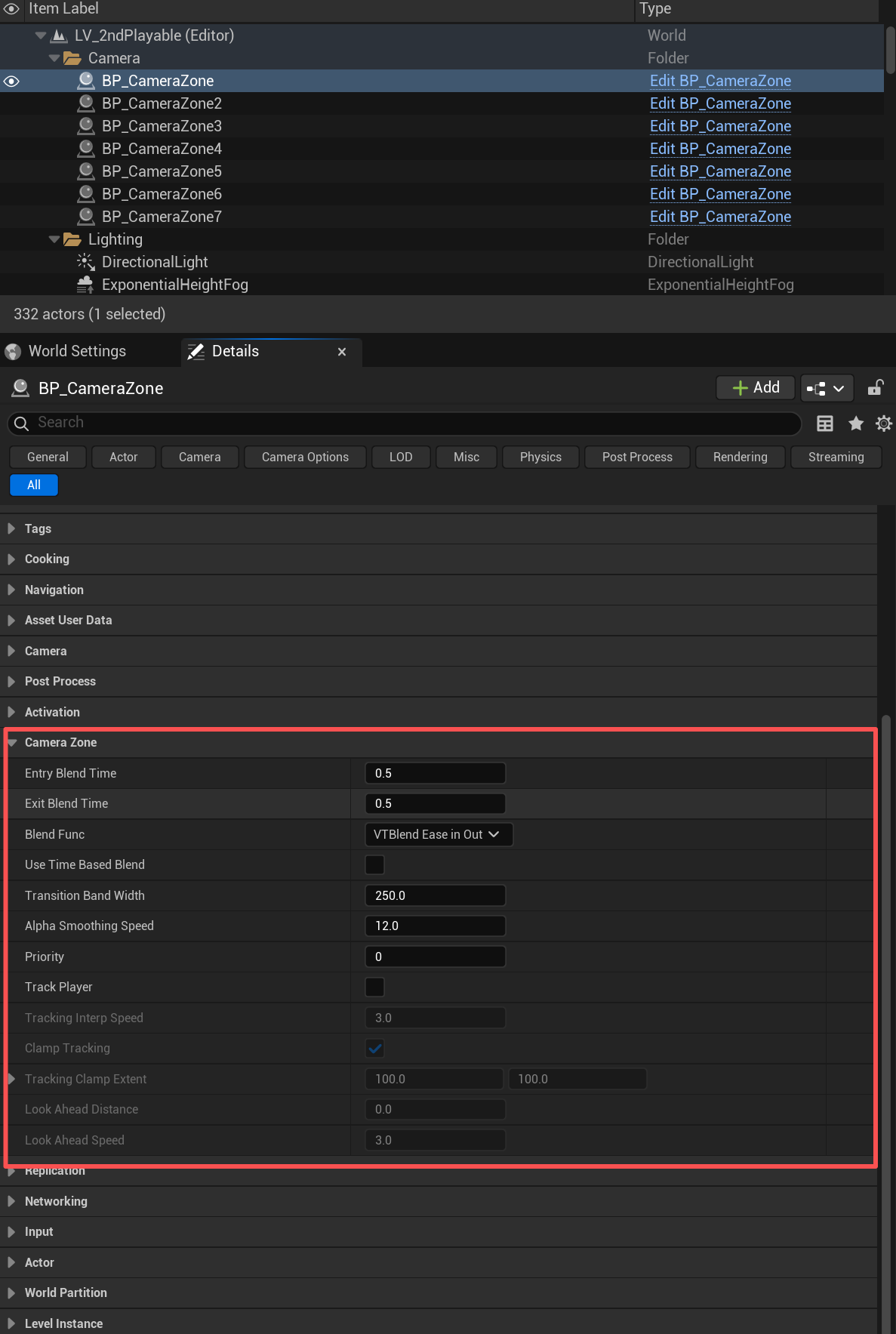
For the full authoring recipe, see Camera authoring and Adding a camera zone.
Debug
The subsystem and the zone actors log to the LogTemp category at Log verbosity, one line per event: a zone entered, exited, or faded out, a cinematic pushed or popped, a view redirect starting or ending, and tracking turning on or off. Per-tick values are not logged.
Known constraints
- Single local player only. There is no replication.
- Position-based weights use horizontal distance to
ZoneBounds; the Z axis is ignored. - A spawn-inside zone registers at
BeginPlayor on the next tick. Pawns that appear with their level callRefreshZonesForPawn. DeactivateTrackingleaves the zone camera at its last tracked position rather than its authored location.- Only one redirect runs at a time; the Mind Palace is its one user.
- The shared camera FOV, pitch, and height are authoring conventions. The code does not enforce them.
Sources
- Level: 3020 Garden — defines garden framing constraints for what the camera reveals and conceals.
- Level: 24/40 Empty Space — defines Empty Space camera constraints for what the camera must and must not reveal.
- Design / Eng Sync 2026-09-02, section 6 — keeps the zone-based, fixed-position camera and asks for minimal camera movement.